


ShopBack: Cashback & Rewards
3.7742.00 Reviews
App Specs
- Version
- 6.25.0
- Updated On
- License
- Free
- Downloads
- 50,000,000+
- Developer
- ShopBack
- Categories
- Shopping
- Platform
- Android, iOS
Screenshots
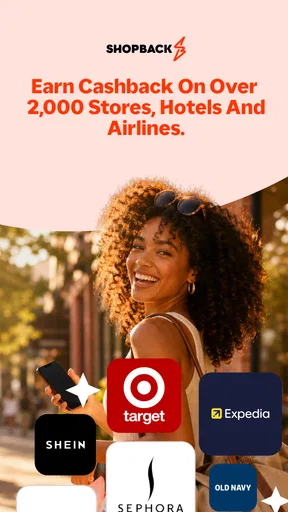
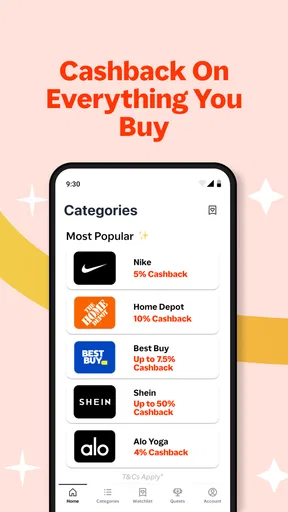
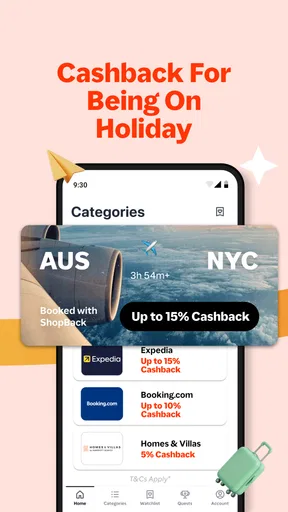
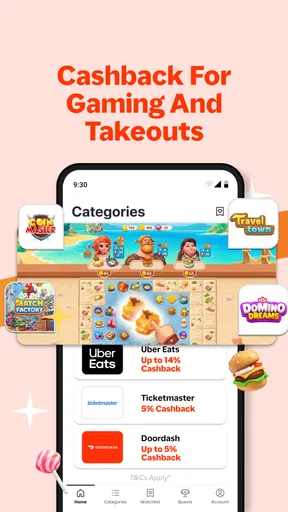

 Analysis by AppCompare
When I use a cashback app, I want it to fit into shopping I was already planning, not give me another reason to buy things I don’t need. That is the lens I bring to ShopBack: Cashback & Rewards: it is most useful as a small part of a sensible purchase routine, where I check an offer before placing an order and treat any cashback as a bonus rather than a guaranteed discount.
A practical role in an online shopping routine
ShopBack is a free shopping app from ShopBack, and its central idea is straightforward: start with a participating retailer in the app, make your purchase through that route, and cashback can be credited to your account. I find that distinction important. It is not the same as typing a coupon code into any store checkout, and it does not replace comparing the item’s final price across retailers.
A realistic use case is replacing a household item you already need. I would compare the product price and delivery terms first, then check whether ShopBack has an offer for the retailer I intend to use. If the price is still competitive, I can begin the shopping session through the app and complete the order without switching stores halfway through. The useful saving comes from combining a good purchase decision with a cashback opportunity, not from chasing the biggest-looking percentage.
What to check before you click through
One worthwhile habit is to read the retailer’s offer details before starting. Cashback services commonly rely on the shopping session being tracked, so I would avoid opening a separate retailer tab or switching to another route after clicking through. I would also keep the order confirmation until the purchase appears in my account. That gives me a clear record if I need to check a missing or incorrect transaction later.
For a larger planned purchase, I would take a moment to compare the offer with any discount already available at checkout. A cashback offer is not automatically better than a direct coupon, a lower price elsewhere, or a deal that does not require tracking. If I am considering a promotion, I would check whether its conditions affect cashback eligibility rather than assume every discount stacks cleanly.
Timing is another small but useful part of the workflow. If I am only browsing, I can save the decision for later instead of starting a tracked session before I am ready to buy. When I am ready, I can check the current offer, enter through ShopBack, and finish the order in one continuous visit. That approach is less likely to create confusion about which purchase the cashback should relate to.
Who will get the most from it
I think ShopBack is best suited to people who already shop online and are comfortable adding one quick check before checkout. It can make sense for someone who regularly buys from retailers featured in the app, or who wants to keep planned travel bookings and ordinary online shopping in one place when suitable offers are available. The app’s store summary points to both shopping and travel planning, though the value still depends on the offers relevant to an individual purchase.
Worth Reading Before You Choose

EA SPORTS FC Mobile 26 Is a Bigger Football Game, but It Takes Time

Flipboard Shows What News Apps Must Do Beyond the Feed

Switching to Android Auto Means Rethinking Your Driving Routine

Google Calendar Makes a Crowded Week Easier to Manage

Ludo King Makes the Most of the Minutes Between Plans

Baby Panda World Brings Quick Play to Modern Phones, but Its Game Library Feels Busy
It is less compelling for someone who rarely shops online, dislikes creating accounts, or expects an immediate reduction in the checkout total. Cashback is a later benefit, not necessarily an instant price cut. If a direct discount is clearer and larger, I would take that instead. I would also skip a purchase that exists only because an offer made it look tempting; spending more to earn a portion back is not saving money.
How it compares with other ways to save
Compared with searching for coupon codes, ShopBack offers a different kind of convenience: the saving is tied to beginning the purchase through the app rather than relying only on a code at checkout. A coupon can be simpler when it reduces the bill immediately, while cashback may suit a planned order when the tracked offer remains worthwhile. I would check both, but compare the final cost rather than adding their headline benefits together in my head.
Compared with a retailer’s own loyalty scheme, ShopBack can be useful when I want to check a separate cashback route instead of relying solely on rewards from one shop. The trade-off is that it adds another account and another transaction record to monitor. For a store where I already receive a strong direct member price, the retailer’s own deal may be easier and better. I see ShopBack as an extra comparison point, not a universal replacement for coupons, loyalty programs, or price-checking.
Getting Started with ShopBack
First off, let’s talk about the setup. Downloading ShopBack: Cashback & Rewards is a breeze. It’s available on both Android and iOS, so no worries about compatibility. Once you’ve got it installed, setting up an account takes just a few minutes. The app has a clean and friendly interface, which I found to be super welcoming. No need to be a tech wizard here; it’s very intuitive.
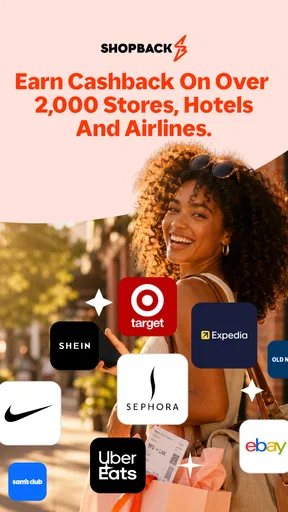
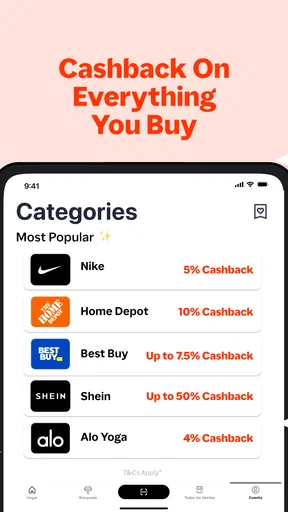
After signing up, you’re greeted with a dashboard that shows various retailers and the cashback percentages you can earn. It’s almost like window shopping but with the added bonus of getting some of your money back. The range of stores is impressive—think big names and niche brands alike. Whether you’re into fashion, electronics, or groceries, there’s something for everyone.
How It Works
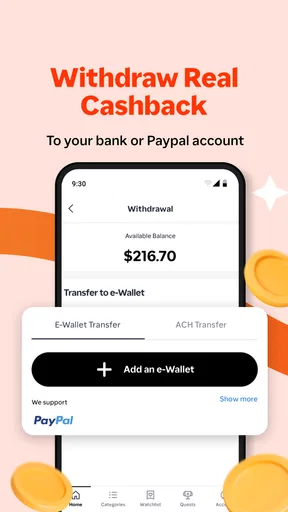
Okay, so here’s the scoop: using ShopBack is simple. You select a retailer from the app, shop as usual, and then earn a percentage of your purchase as cashback. This cashback accumulates in your ShopBack account and can be withdrawn to your bank account once you hit a certain amount. It’s like getting paid to shop, which, let’s be honest, is pretty awesome.
One feature I really appreciate is the browser extension for desktop shopping. Once installed, it automatically alerts you of cashback opportunities when you’re browsing online retailers. No need to remember to check the app every time—ShopBack has your back!
The Joy of Rewards
Besides cashback, ShopBack offers rewards and discounts through their app. They often have special promotions or limited-time offers, which can boost your savings even more. I’ve snagged some sweet deals during these promo periods, making me feel like a savvy shopper.
It’s also worth mentioning their referral program. By inviting friends to join, you can earn additional rewards. It’s a win-win situation—you help your friends save money, and you get rewarded too. Not too shabby, right?
Making cashback easier to track
After placing an order, I would treat the cashback entry as something to verify rather than money already in my pocket. Keep the retailer’s confirmation and note which account or shopping route you used, especially if you tend to browse on more than one device. If an order is later changed or cancelled, it is sensible to review the account activity instead of assuming the original expected amount will remain unchanged.
That simple record-keeping habit matters most when an order includes several items, a return, or a promotion. I would check that the purchase shows up and that the amount looks plausible before planning around it. Cashback is most satisfying when it is a pleasant extra; relying on it to cover an upcoming bill makes the timing and tracking uncertainty feel much more frustrating.
Why I Keep Coming Back
So, why do I keep using ShopBack? For one, the savings are real. I’ve managed to save a decent chunk of change over time. Plus, the app is reliable and constantly updated with new stores and offers. I also appreciate their customer support—quick and helpful responses whenever I’ve had a query.
However, it’s not just about the money. There’s something genuinely satisfying about knowing you’re getting a little extra back after making a purchase. It feels like a reward for smart shopping.
Its current shape and version
ShopBack is a shopping app with an average rating of 3.9 from around 482,000 ratings, and it has been installed over 10 million times. It is rated for Everyone, is free to download, and its current version is 6.13.0, with Android 8.0 as the minimum operating system. Those figures suggest a well-established service with a substantial audience, but they do not tell me whether a particular retailer’s offer will suit my plans; I still make that decision offer by offer.
The app was released on July 3, 2016, so it has had time to become a familiar option in this category. The current version gives users a concrete point of reference, but I would not infer a specific new feature or policy change from a version number alone. For someone who already uses ShopBack, the practical question is whether the current app continues to fit their shopping habits and whether the offers they actually use make the extra tracking step worthwhile.
Where I would stay cautious
The main friction is that cashback depends on a purchase being attributed correctly, so I would not assume every eligible-looking order will appear instantly or exactly as expected. The retailer’s terms and the way I complete checkout can matter. That makes the app less effortless than an automatic price reduction, even if browsing offers itself is quick. A patient user who can keep a confirmation and check account activity is better placed to get value from it.
There is also a temptation to browse offers as entertainment and let a discount shape what I buy. I try to reverse that order: decide what I need, compare prices, and only then see whether ShopBack adds a worthwhile return. If I cannot find a relevant retailer, if another deal is plainly better, or if the extra steps feel like a chore for a small purchase, I simply shop normally.
What I would watch over time
For existing users, I would pay attention to whether the retailers they use remain easy to find, whether offer conditions are clear, and whether tracking feels dependable in their own routine. Those are the changes that would affect my decision to keep the app far more than a new-looking screen. I would also check the terms each time rather than assume an offer works exactly like one I used before.
For someone deciding whether to try it, I would start with one planned purchase from a retailer already listed in the app, follow the route carefully, and see whether the process feels worth repeating. That small test gives a more useful answer than installing it and immediately changing shopping habits. If it fits naturally, keep it as a check before checkout; if it adds hassle or encourages extra spending, the usual direct discounts and price comparisons are better tools.
Final Thoughts
In a world where every penny counts, ShopBack: Cashback & Rewards is a fantastic tool to have. It’s simple to use, packed with features, and most importantly, it helps you save money effortlessly. So if you’re not already using it, I’d definitely recommend giving it a try. Who doesn’t like the idea of getting paid to shop?
Pros
- Easy to navigate user interface.
- Wide range of participating retailers.
- Instant cashback tracking feature.
- Regular updates with new deals.
- Supports both in-store and online shopping.
Cons
- Limited availability in some regions.
- Occasional delays in cashback processing.
- Notifications can be overwhelming.
- Some offers have high minimum spend.
- App requires stable internet connection.
FAQs for ShopBack: Cashback & Rewards
What is ShopBack: Cashback & Rewards, and how does it work?
ShopBack is a cashback and rewards app that allows users to earn money back on their purchases from a wide range of online and offline retailers. By shopping through the app, users can access exclusive deals and receive a percentage of their spending as cashback, which can be withdrawn or used for future purchases.
Is ShopBack safe and secure to use for online shopping?
Yes, ShopBack is a reputable platform that prioritizes user security. It uses secure encryption to protect your personal and financial information. Additionally, ShopBack partners with trusted retailers, ensuring a safe shopping experience. However, users should always practice general online safety by keeping their accounts secure and monitoring transactions.
How do I redeem my cashback earnings from ShopBack?
To redeem your cashback earnings, you need to accumulate a minimum balance as specified by ShopBack. Once reached, you can transfer the cashback to your bank account, PayPal, or choose other available redemption options. The process is straightforward and can be completed directly within the app.
Can I use ShopBack for in-store purchases, or is it only for online shopping?
ShopBack is primarily known for online shopping, but it also offers in-store cashback options at select partner retailers. To earn cashback in-store, you need to activate the offer on the app and pay with a linked card. Check the app for participating stores and the latest in-store offers.
Are there any fees associated with using ShopBack?
ShopBack is free to download and use. There are no hidden fees or charges for earning cashback. However, always ensure you understand the terms and conditions of each offer, as some promotions may have specific requirements or limitations to qualify for cashback.


